Turn Any Text Into Your Personal Audiobook
Listen to PDFs, documents, and text files hands-free in multiple languages. Perfect for multitasking, learning on the go, or giving your eyes a break from screens.
Everything You Need to Listen Smarter
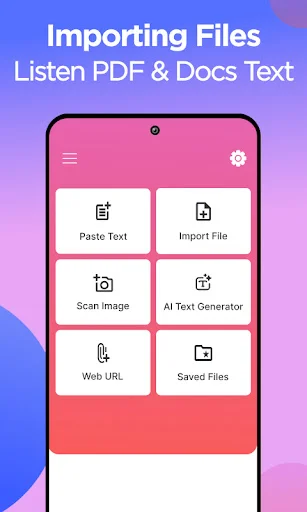
Import Any Document Format
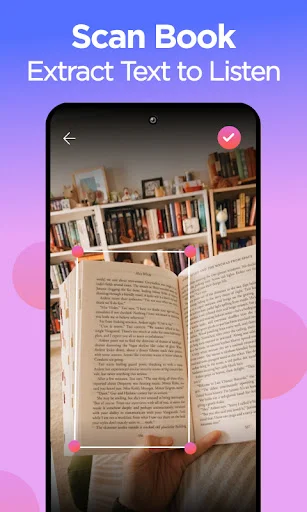
Easily load PDFs, Word documents, text files, or scan book pages to extract text. No matter what format your content is in, Aloud Reader transforms it into crystal-clear audio you can enjoy anywhere.
Multitask Without Missing Content
Turn your commute, workout, or household chores into productive learning time. Listen to your reading materials while doing other activities, so you never have to choose between getting things done and staying informed.
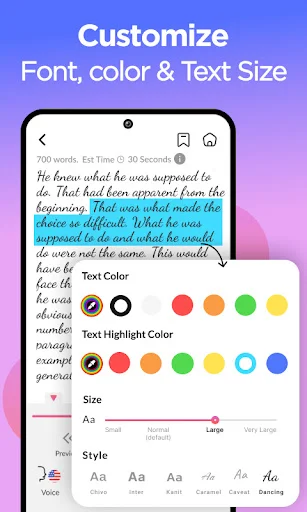
Customize Your Listening Experience
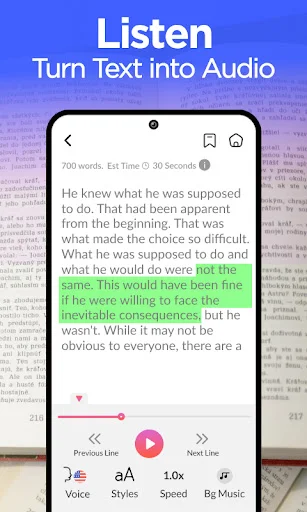
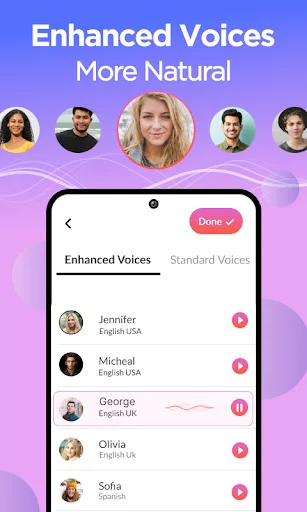
Adjust the reading speed to match your preference, select from different voices, and personalize background colors and text display. Create the perfect listening environment that works best for you.
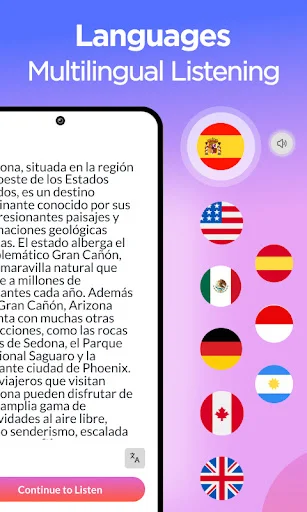
Listen in Multiple Languages
Access accurate text-to-speech in various languages with proper pronunciation. Whether you're learning a new language or reading international documents, get clear audio playback in your preferred language.
About Aloud Reader - Text to Speech
Audio text reader app to listen PDF, DOC, TXT files. Text to speech can read text in multiple languages. Get text to speech reader to easily speak text using read aloud app. This text to speech aloud reader app provides you screen reader with audio text feature.
Text to voice converter helps you quickly listen any text. Choose the text file or document to import with audio text reader. Text to speech app allows you to import text in different languages, listen text using voice aloud reader. Turn your reading content in to audiobook and listen text with text to speech app. Accurately listen to the text and Scan PDF, book pages or directly import PDF, document and txt files.
Text to speech tts the best narrator in your pocket to listen text.
Choose from different languages and listen your text in desired language.
Simultaneously read and listen books, PDFs, documents, and txt files.
Adjust speaker speed along with background color and text colors.
Convert text to audio and choose your favorite voice for listening.
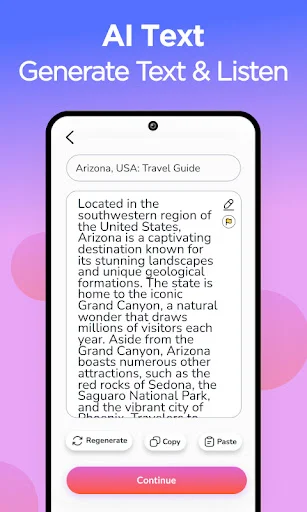
Read aloud helps you generate voice or any text, create focus while reading and listening text at the same time. Text to voice generator app provides you ultimate voices and reading speed adjustments. Get text speaker app to listen text in multiple voices, input any text and enjoy read aloud. Voice text reader provides you accurate text to speech.
How to use text to speech tts
- Get read aloud text to speech
- Import any PDF, Doc or txt
- Scan any image to extract text
- Choose the language for listing text
- Adjust listening speed
- Finally, Enjoy text to speech
Key Features
- Smoothly listen text in text to speech
- Import text from PDFs, doc and text files
- Read aloud app supports different languages
- Multiples fonts, text colors with audio text reader
- Adjust text listening speed
See How Easy It Is to Get Started
Loved by Thousands of Happy Listeners
Start Listening to Your Documents Today
Discover what our growing community loves about this app.
Available on Google Play Store • Free to download