
Edit Audio Like a Pro on Your Phone
Cut, trim, merge, and customize your music and recordings in seconds. Create custom ringtones, remove unwanted parts, and edit audio files without complicated software.
Everything You Need to Edit Audio Fast
Create Custom Ringtones Instantly
Turn your favorite song into a unique ringtone in seconds. Select any part of a track and save it as your personal call tone, alarm, or notification sound without any technical skills.
Trim with Pinpoint Precision
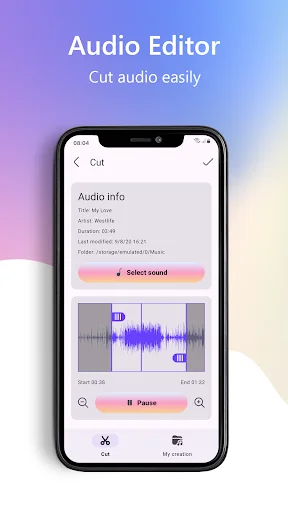
Keep only the parts you want and remove the rest. Set exact start and end points to cut silence, trim recordings, or save the best section of any audio file with simple controls.
Merge Multiple Audio Files
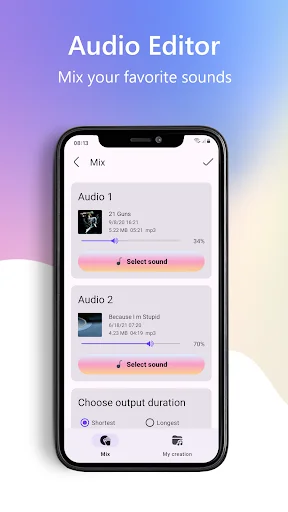
Combine voice memos, music clips, or recordings into one seamless file. Join multiple audio pieces together to create playlists, extended tracks, or complete audio projects effortlessly.
Advanced Tools Made Simple
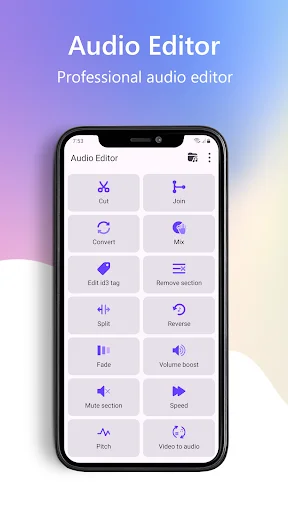
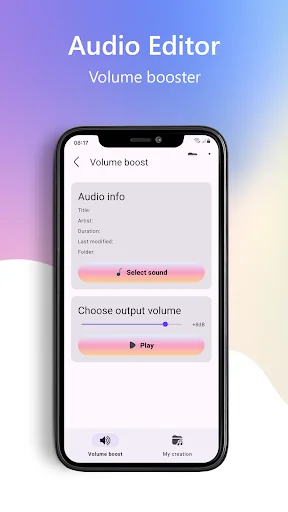
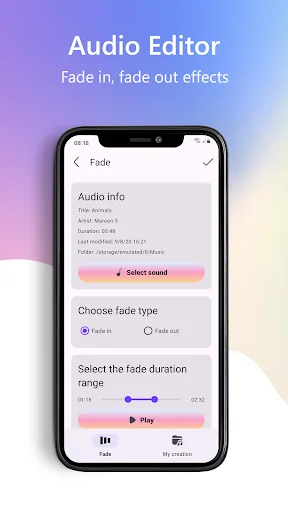
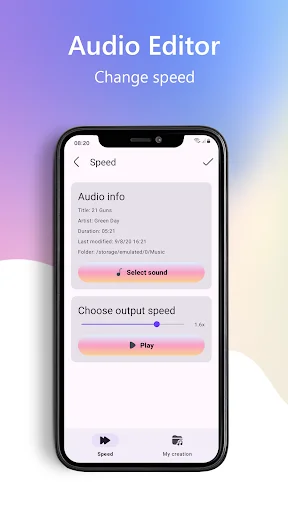
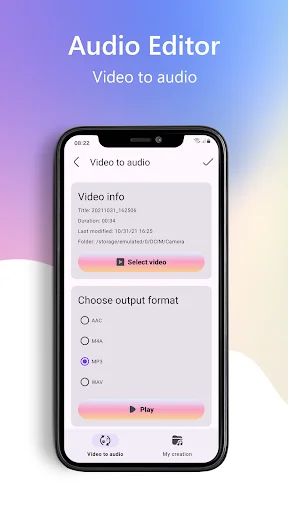
Adjust volume levels, change playback speed, modify pitch, reverse audio, and convert videos to audio files. Get professional editing features in an easy-to-use mobile app that replaces heavy desktop software.
About Audio Editor: Music Cutter
Cut Audio Editor: Crop Music - Trim Songs And Create Custom Audio Fast!
Cut Audio Editor: Crop Music helps you edit music, recordings, and sound files with simple tools made for quick audio work. Cut Music Editor: Audio Trimmer is useful when you want to keep only the best part of a track and save it as a new file.
Edit Audio Splitter & Mp3 Editor also gives you tools for ringtones, splitting, joining, mixing, volume control, speed changes, pitch edits, reverse audio, and video-to-audio conversion. The app is made for users who want audio editing without complicated software.
Audio Editing Features:
- Song Editor: Music Cutter - Cut favorite music parts and save new audio clips
- Trim Audio Cutter: Edit Music - Set start and end points for cleaner trimming
- Trim And Merge Audio & Edit Songs - Join multiple clips into one audio file
- Trim Sound Cutter App - Adjust volume and prepare custom sound files
- Cut Mp3 App - Create ringtones from selected song parts
- Cut Audio Editor: Crop Music - Reverse, mix, join, and fine-tune audio
- Cut Music Editor: Audio Trimmer - Use a simple interface with fast controls
- Edit Audio Splitter & Mp3 Editor - Store, rename, and share finished files
Cut, split, merge, reverse, convert, and save audio in a few taps!
Song Editor: Music Cutter is helpful when you want a ringtone, alarm tone, notification sound, or short music clip from a longer file. You can select the exact part you like and save it for later use.
Trim Audio Cutter: Edit Music also works well for removing unwanted parts from recordings or music. You can trim the beginning, cut the ending, or keep only the section that sounds right.
Simple Editing Flow:
- Open Trim And Merge Audio & Edit Songs and choose a file
- Use Cut Audio Editor: Crop Music to select the part you need
- Start Cut Music Editor: Audio Trimmer to adjust start and end points
- Try Edit Audio Splitter & Mp3 Editor when one track needs splitting
- Use Trim Sound Cutter App to change volume, speed, or pitch
- Open Cut Mp3 App when creating a ringtone
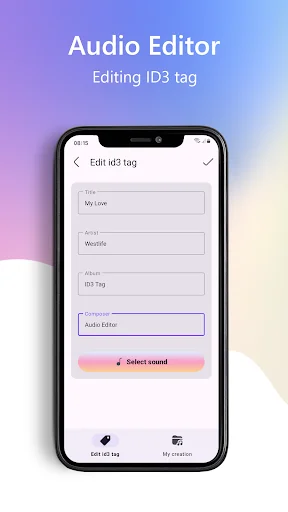
- Save, rename, store, or share the final audio file
Ringtone Maker And Music Cutter:
Cut Mp3 App lets you turn a favorite part of a song into a custom ringtone. This is useful when you want a personal sound for calls, alarms, or notifications. The app keeps the ringtone-making process easy, so you do not need professional editing skills.
Precise Trimming And Splitting:
Trim Audio Cutter: Edit Music helps you control where the audio starts and ends. You can split one file into smaller parts, remove extra silence, or save only the important section. Song Editor: Music Cutter makes these edits quick for music, voice clips, and recordings.
Extra Audio Tools:
Edit Audio Splitter & Mp3 Editor includes more than basic cutting. You can adjust volume, reverse sound, mix tracks, join clips, change speed, change pitch, and convert video into audio. Trim Sound Cutter App gives users a flexible way to edit sound without using heavy desktop software.
Format Support, Sharing, And Easy Use:
Trim And Merge Audio & Edit Songs supports common audio formats such as MP3, M4A, AAC, and WAV. After editing, you can save the file to device storage or share it through supported apps, email, or socials. The app also supports multiple languages for easier use.
Make Audio Editing Simple From Your Phone!
Cut Music Editor: Audio Trimmer gives you a fast way to trim, split, merge, convert, and personalize sound files. Whether you need a ringtone, a shorter track, or a cleaned-up recording, Cut Audio Editor: Crop Music keeps the process simple and practical.
See How Simple Audio Editing Can Be
Join Over 1 Million Happy Users
This one is the best there is! After tryring several call recorder apps, my search was finally over. Not only does it record both sides, but it als...
Performs well, automatic and user-friendly. I've spent a lot of time now working with this app. The recordings are good quality, labelled and sorte...
This one works better than any other recorder I've used so far. My old one quit over a month ago. I just found out a few days ago when I really nee...
I like it allot. It clearly captures both your voice and that of the other line. Though keep in mind it also picks up a great deal of background no...
Been using this app for a couple of years now, and it is everything it promises to be. The interface is clean and intuitive, easy to navigate and i...
Just downloaded the app must say it works perfectly. I just did a trial run and it records automatically and the sound quality is excellent for inc...
Start Editing Your Audio Files Today
Join millions of satisfied users who have already transformed their experience.
Available on Google Play Store • Free to download