Convert HEIC Photos to Any Format Instantly
Turn iPhone photos into JPG, PNG, PDF and more in just a few taps. No more upload errors or compatibility issues – share your images anywhere, anytime.
Everything You Need for Perfect Photo Conversion
Works With Every Platform
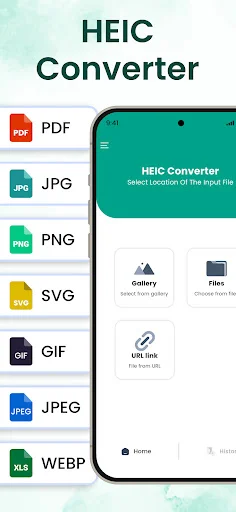
Convert HEIC files to JPG, PNG, PDF, GIF, WEBP and more. Your photos will work on every website, social media platform, and device – no more frustrating error messages when uploading.
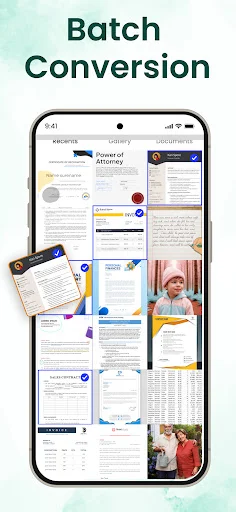
Save Time With Batch Conversion
Convert multiple photos at once instead of one by one. Select all your HEIC files and transform them together in seconds, giving you more time to enjoy your memories instead of managing files.
Keep Perfect Image Quality
Your converted photos look exactly like the originals – no blurry or low-quality results. Get professional-looking images every time while reducing file sizes to save storage space on your phone.
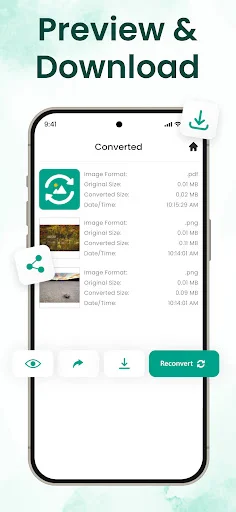
Preview and Organize Simply
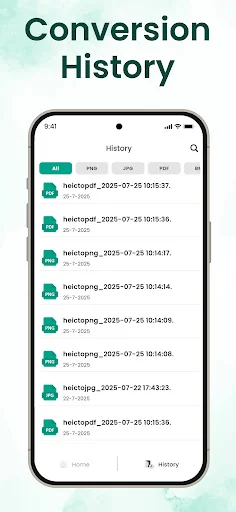
See how your images will look before converting and organize all converted files by format. Find your JPGs, PDFs, or PNGs quickly whenever you need them – everything stays neat and easy to access.
About HEIC to JPG Converter
HEIC to JPG Converter
Convert photos into multiple formats without losing quality. Save space on your phone by reducing file sizes. This imazing HEIC converter app also works as a simple HEIC viewer, helping you keep more photos while using less storage.
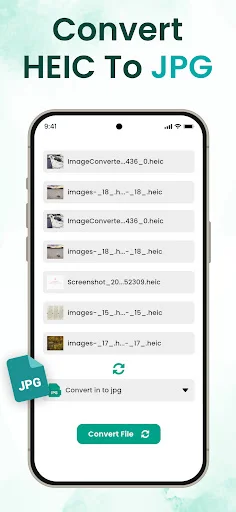
With the free HEIC to JPG Converter, you can convert single photos or use batch conversion to change many HEIC files at once. Save time, keep the same high quality, and get your images in JPG, PNG, PDF, and more all in just a few taps.
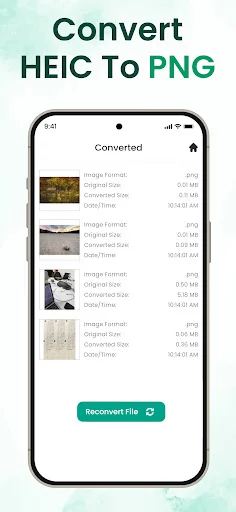
Many apps don't support HEIC files. Heic converter to JPG, PNG, JPEG, PDF, SVG, BMP, WEBP, and GIF for smooth uploads. Ensure your photos are always compatible online. HEIC to PDF Converter and Image converter make your photos ready for documents and reports. Convert HEIC to PNG instantly while keeping the original quality.
Many platforms don't support HEIC files, causing errors when uploading or sharing. The HEIC to JPG Converter app solves this by converting HEIC files into JPG, PNG, PDF and more. Now your photos stay compatible across social media and professional platforms always ready to share or upload without issues.
Key Features of HEIC to JPG Converter
- Convert HEIC to JPEG, PNG, PDF, JPG, and more.
- Support for multiple file conversion at once (batch convert).
- Before conversion, you can preview how the images will look and also work with the HEIC viewer.
- Once HEIC files are converted, your images are ready to download.
- After conversion, you can share the images.
- Organize files by format see all JPGs, PDFs, or PNGs separately.
- Fast, simple, and reliable no complicated steps
What are HEIC images?
HEIC (High Efficiency Image Coding) is Apple's default photo format used on iPhones. It allows high-resolution photos in smaller file sizes, helping save storage. The drawback? Many platforms and apps don't support HEIC files properly, making sharing or uploading frustrating. HEIC converter to JPG for easy photo conversion.
That's why a free HEIC to JPG Converter is essential. With our imazing HEIC converter app, you can transform HEIC files into popular formats like JPG, PNG, PDF, WEBP, and more in just a few taps. Whether for social media uploads, online forms, or transferring images to your PC, this converter ensures your photos are always compatible and ready to use.
With HEIC to JPG converter for android you can convert your HEIC files into a variety of popular formats:
- JPG – Common image format, small size, good quality.
- JPEG – Same as JPG, works on almost all devices.
- PNG – Clear images with support for transparency.
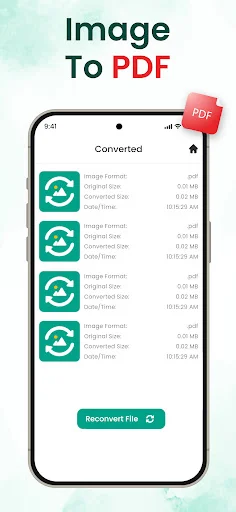
- PDF – Best for documents and easy sharing.
- GIF – Used for short animations or moving images.
- BMP – Old Windows image format.
- WEBP – New format, small size with high quality.
Download the free HEIC to JPG Converter for android today and quickly change your HEIC photos into JPG, PNG, PDF, and more Convert HEIC to JPG and share anywhere without errors. The imazing HEIC converter app is fast, safe, and simple keeping the same quality while making your images ready to share, save, or use anywhere.
See How Easy Photo Conversion Can Be
Trusted by Users Who Need Reliable Conversion
So grateful with work of the app
good, it's working
GOOD
Download free and convert photos in seconds
Discover what our growing community loves about this app.
Available on Google Play Store • Free to download