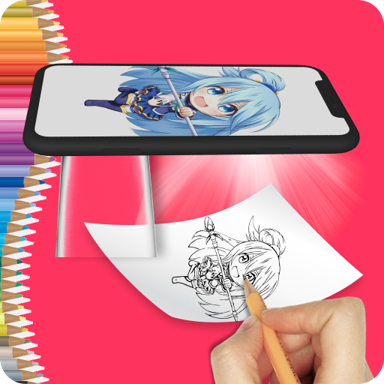
Turn Your Phone Into a Drawing Guide
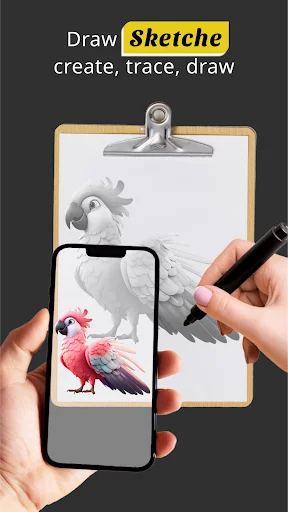
Create beautiful artwork on paper using your phone as a visual reference. No expensive equipment needed – just choose a photo, position your device above the page, and trace at your own pace.
Everything You Need to Start Drawing
Your Phone Becomes Your Tool
Use your phone camera as a helpful guide above your paper. Position any image over your work area and follow the outlines without buying costly tracing tables or projection equipment.
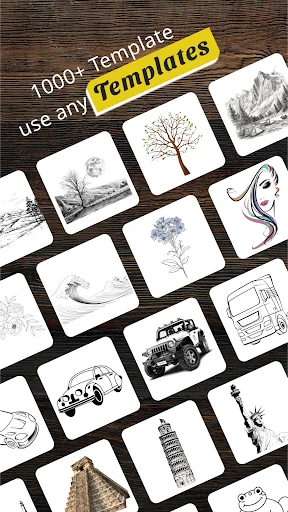
Photos and Ready-Made Templates
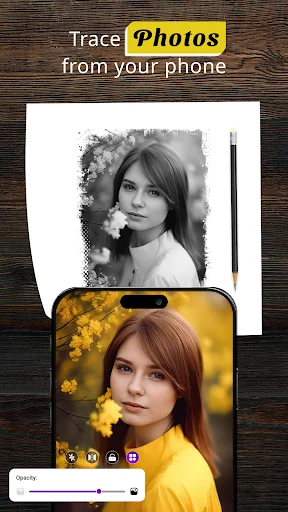
Turn your favorite pictures into drawing guides or choose from over 100 built-in templates. Practice with portraits, animals, nature scenes, and more – always have fresh inspiration ready.
Perfect Fit Every Time
Resize, move, and align any image to match your paper size. Fine-tune the position for detailed work and keep the reference steady while your hand creates the artwork underneath.
Build Skills with Confidence
Practice proportions and line work at your own pace, whether you are a complete beginner or improving your technique. Track your progress with project history and watch your abilities grow.
About Trace Anything: Tracing Paper
Trace Anything: Sketching Projector - Turn Photos Into Easy Guides For Paper Art!
Use your phone as a visual guide for creating artwork on paper. Choose a picture, position the device above the page, adjust the image, and follow the outline at your own pace.
Sketch Trace Table App gives beginners and experienced artists a simple way to practice proportions, shapes, and line work. Draw Easy Trace To Sketch helps turn gallery pictures into cleaner guides that are easier to follow by hand.
Creative Sketching Features:
- Tracing Paper Sketching App - Use your phone above paper as a helpful visual reference
- Trace Drawing Tool - Follow outlines from photos, templates, and prepared artwork
- Trace Art Sketching - Practice line work with more than 100 creative ideas
- Draw And Trace Camera - Position an image over your page using the camera view
- Tracing Drawing App - Import a favorite picture and prepare it for manual sketching
- Trace Anything: Sketching Projector - Resize, move, and align the reference
- Sketch Trace Table App - Keep the source visible while your hand works underneath
- Draw Easy Trace To Sketch - Build confidence with approachable practice
Choose an image, place your phone securely, and create one line at a time!
Tracing Paper Sketching App is useful when a complex picture feels difficult to copy by eye. Keep the reference in position while you work through the main shapes and details.
Trace Drawing Tool supports practice with portraits, animals, nature, food, fantasy ideas, objects, and simple forms. Your finished result still comes from your own pencil, pen, or coloring tools.
How To Use:
- Open Draw And Trace Camera and choose a picture from the gallery or built-in collection
- Use Tracing Drawing App to adjust the source so it fits your paper
- Place the phone on a stable stand above the work area
- Start Trace Art Sketching by following the visible contours slowly
- Resize or reposition the reference when finer details need more room
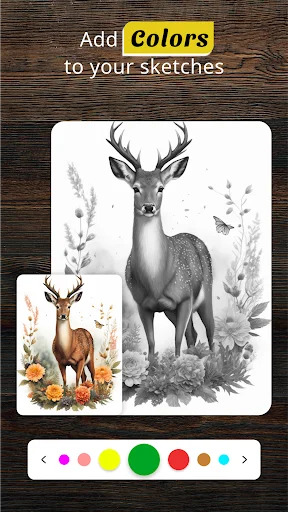
- Add your own shading, color, or finishing touches
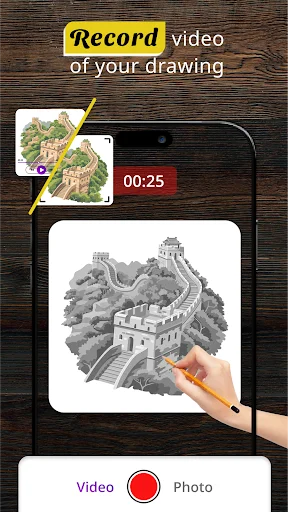
- Keep a history of projects so earlier practice is easy to revisit
Turn Favorite Pictures Into Art Guides:
Draw Easy Trace To Sketch helps transform personal photos into references for hand-made artwork. Instead of guessing every proportion from scratch, focus on the lines and shapes that build the picture. It works well for learning, casual creativity, and craft projects.
Templates And Ideas For Practice:
Trace Art Sketching includes creative subjects for moments when you are not sure what to make next. Explore categories, try easier outlines first, and move toward more detailed compositions. Sketch Trace Table App keeps the process approachable without requiring professional equipment.
Simple Tools For Different Skill Levels:
Trace Drawing Tool offers an easy interface for both beginners and practiced artists. Resize, align, and fine-tune the source before beginning. Draw And Trace Camera keeps the real page visible so your hand and reference stay coordinated.
Keep Practicing And Develop Your Style:
Tracing Drawing App can be used for a first attempt, a quick creative break, or regular practice. Save previous projects, compare progress, and experiment with different subjects. Tracing Paper Sketching App gives you a way to turn digital inspiration into something created by hand.
Bring More Ideas From Your Screen Onto Paper!
Trace Anything: Sketching Projector makes photo-based practice easier with adjustable guides, camera support, templates, and project history. Keep exploring new subjects and enjoy creating artwork one page at a time.
See How Easy Drawing Can Be
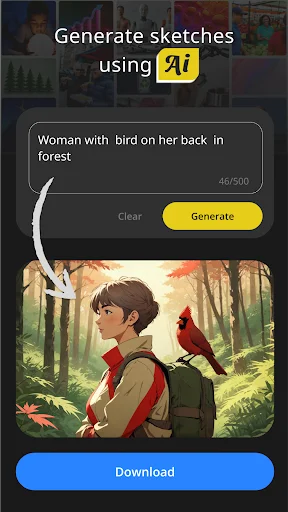
Loved by Artists at Every Level
It is the best app for doing any projects work , students who are learning most of the time, it is specially useful for the students who do not spe...
Honestly, this is the best drawing app i have ever used. It's free, requires minimal info about you and works like a charm!
Before it was so hard for me to copy pictures but this app has made it so fast and easy now
Awesome app! I love it! it taught me how to draw better! Now anytime I draw everyone loves my drawings! Thank you so much Trace and Sketch!🥰😍
amazing app it is very good helps you to draw nicely but when i trace the chibi anime its to small but okay i like it.
This app is so good that it is free and offline. But yes there is ads. I checked another app but you have to give cash for that. So this is so good...
Start creating your artwork today – free!
Join millions of satisfied users who have already transformed their experience.
Available on Google Play Store • Free to download