
Extract Audio from Videos in Seconds
Convert your videos to high-quality MP3 files, trim recordings to perfection, and merge audio tracks – all in one powerful app that saves storage space and gives you freedom to listen anywhere.
Everything you need to create perfect audio files
Convert Videos Instantly
Extract audio from MP4, MKV, and FLV videos with just a few taps. Save your device storage by keeping only the soundtrack, and enjoy high-quality MP3 output up to 320 kb/s for crystal-clear listening on any device.
Edit Like a Pro
Trim audio and video to keep only the parts you need, merge multiple tracks into one seamless file, and add fade-in or fade-out effects for professional-quality results. Create custom ringtones or perfect audio clips without complicated software.
Save Time with Batches
Convert multiple videos at once instead of processing them one by one. Batch processing handles your entire collection in a single operation, so you can get back to what matters while the app does the work.
Organize Your Audio Library
Edit track titles and artist tags to keep your files organized, browse your saved audio in the built-in library, and use playback controls to preview results before sharing. Find exactly what you need when you need it.
About Video To Audio MP3 Converter
What is Video To Audio MP3 Converter?
An Android media tool for extracting audio from videos and editing the files you want to keep. Convert a video's soundtrack to MP3, trim an audio or video clip, or combine audio files into a single track.
Use it when you want to listen to the sound from a recording without playing the video, prepare a short audio excerpt, or create a custom ringtone from material you have permission to use.
Who is Video To Audio MP3 Converter for?
It is for people working with their own recordings, spoken clips, and music files. Keep an audio version of a video, select a useful section of a longer recording, or arrange several audio clips for a project.
Batch processing helps when you have several videos to convert. Tag editing and the saved-audio library help you identify and find the results afterward.
What does Video To Audio MP3 Converter do?
- Extract a soundtrack: Convert supported videos to MP3 audio. Input support includes MP4, MKV, and FLV files, so you can work with common video containers without keeping the visual part in your audio output.
- Cut audio and video: Choose start and end points to keep the section you need. Use the audio cutter for a sound excerpt or the video trimmer to shorten a clip.
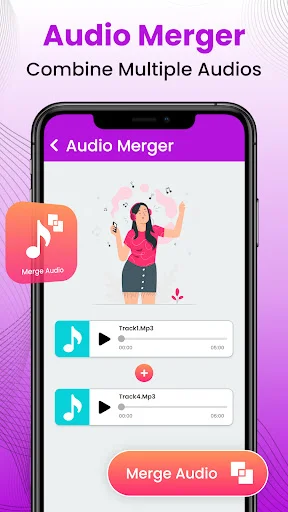
- Merge audio files: Combine multiple audio tracks into one file. Bring separate clips together for a compilation or a longer listening sequence.
- Process a batch: Convert several items together rather than repeating a single-file conversion for each video.
- Choose bitrate and fades: Select audio bitrates up to 320 kb/s and use fade-in or fade-out effects to adjust the beginning and end of a track. Output quality depends on the recording and the settings you choose.
- Edit tags and find saved audio: Change title and artist information to make files easier to recognize. Browse saved audio and use playback controls to check a result before sharing it.
How does Video To Audio MP3 Converter work?
- Choose the extraction, cutting, or merging tool for your task.
- Select the video or audio files you want to use.
- Set the relevant options, such as a trim range or audio bitrate.
- Process the files and listen to the saved result.
- Edit its tags or share it when it is ready.
For a ringtone excerpt, use the audio cutter to keep the section you want and review how it starts and ends. Fade effects can give the clip a more gradual opening or finish.
Compatibility and requirements
Use supported media files that the app can access on your device. Format compatibility depends on the source file; a higher output bitrate cannot restore detail missing from the original recording.
The app contains ads and offers in-app purchases. Converting a video creates an audio result; keeping both files still uses storage for both.
Convert and share only recordings you own or have permission to use, and respect the privacy of people recorded in them.
Video To Audio MP3 Converter combines soundtrack extraction, trimming, merging, and audio controls for turning your recordings into files you can listen to and reuse.
See how easy it is to extract and edit audio


Join millions who trust our converter
This is a good app but as I can see not much people are aware of it.. I would like to tell people go for it.. This app is easy and as it worked for...
It's does Its job as mentioned , really easy to use , wonderful one time experience 😅 I just need it once and it did it's job
Really good for taking the sounds out of videos and screen recording and even tiktoks to use or download
I realy apprciat this app because it doing good converting video to mp3 allah geve yoy long life
When compared to other applications, this app is really straightforward to use.
Love turning my grandkids videos into ringtone and notations.
Start converting your videos to audio today
Discover what our growing community loves about this app.
Available on Google Play Store • Free to download